Hardwired security cameras solve a problem that wireless models can’t. There’s constant power, with no worrying about battery drain, weak signal drop-outs, or forgetting to recharge a camera during the exact week it’s needed most. A eufy hardwired camera pairs that reliability with Eufy’s own HomeBase storage system. This keeps footage local rather than locked behind a mandatory cloud subscription. Knowing what the installation process actually involves makes the difference between a smooth setup and a frustrating afternoon.
This guide walks through what to expect when installing and setting up a eufy hardwired camera. It covers the tools you’ll need and pairing it with a HomeBase and the Eufy Security app.
Quick answer: Installing a eufy hardwired camera involves mounting the unit at 8 to 10 feet high. From there, connect it to a wired power source or outdoor outlet, then pair it with a HomeBase or WiFi through the Eufy Security app. Most models store footage locally rather than requiring a cloud subscription. Setup typically takes under an hour once wiring is in place.
Why Choose Hardwired Over Battery-Powered
Battery-powered cameras are easier to mount but need regular charging or battery swaps. This becomes inconvenient fast if the camera is mounted somewhere hard to reach. A hardwired unit stays powered continuously. This matters most for entry points, driveways, or any spot where a dead battery at the wrong moment is a real security risk. The trade-off is a slightly more involved installation, since a wired power connection is needed rather than just a mounting bracket.
What You’ll Need Before You Start
Before mounting anything, gather the essentials.
- The camera unit and its included mounting bracket
- A HomeBase unit, if the specific model requires one for local storage and processing
- A power source, either an existing outdoor-rated outlet or a direct wiring connection depending on the model
- A drill and appropriate wall anchors for the mounting surface
- A ladder if the installation point is above easy reach
- The Eufy Security app installed and an account set up in advance
Having everything ready before starting avoids the common problem of getting halfway through and realizing a tool or cable is missing.
Choosing the Right Mounting Location
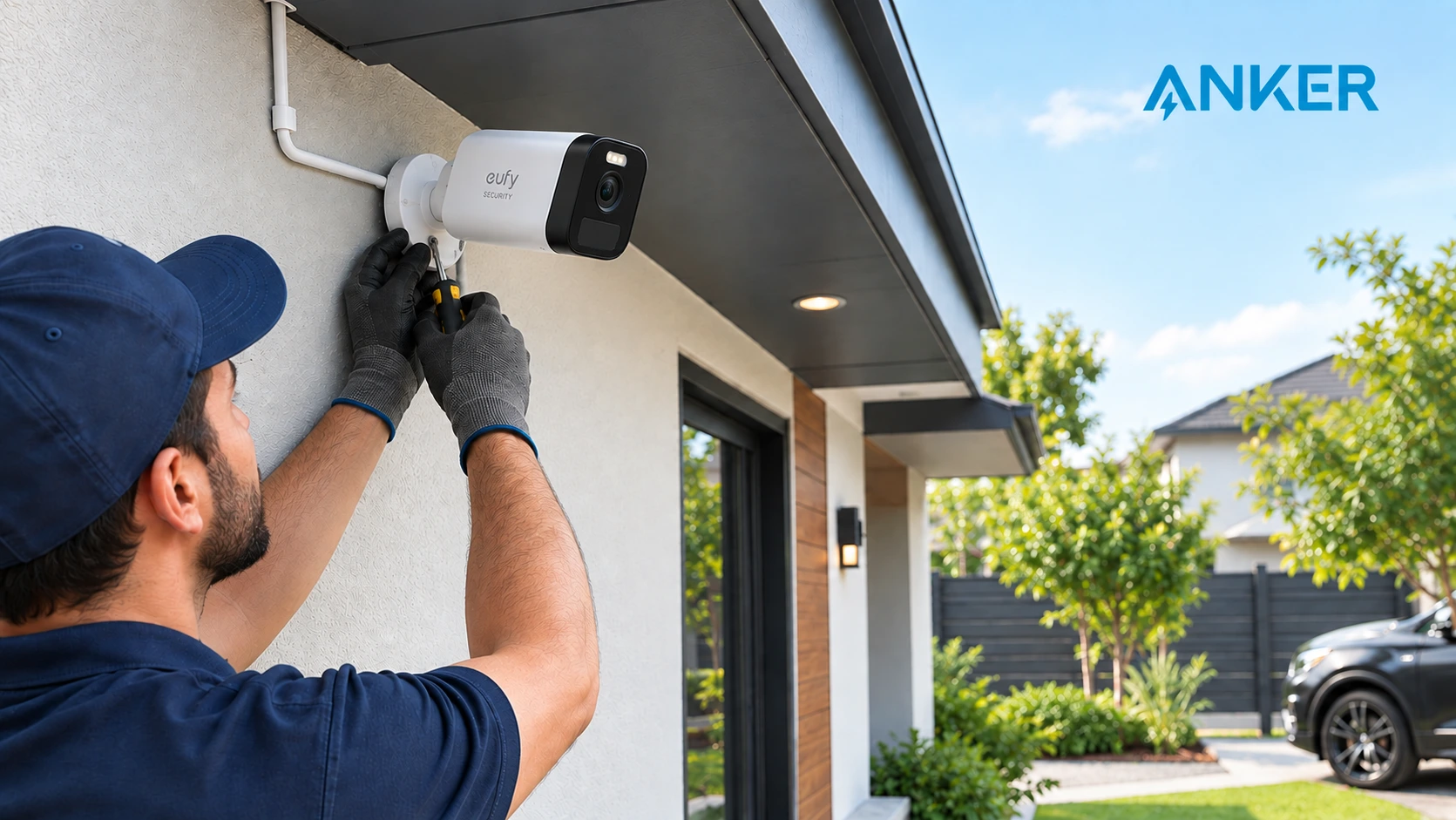
Camera placement affects both coverage and installation difficulty. A mounting spot too high makes wiring and adjustments harder. One too low is easier to tamper with or obstruct. Most installations work best around 8 to 10 feet high, angled slightly downward to capture faces and activity. This avoids excessive glare from direct sunlight or streetlights at night.
Running the Power Connection
This is the step that differs most from setting up a battery-powered camera. Depending on the model, a eufy hardwired camera either connects to an existing outdoor power outlet using a weatherproof extension, or wires directly into a junction box for a cleaner, cable-free look. Direct wiring isn’t something everyone is comfortable doing themselves. If that’s the case, hiring an electrician for this one step is worth the cost, since incorrect wiring is a genuine safety risk rather than just an inconvenience.
Mounting the Camera Securely
Mounting stability matters more than it might seem at first glance. A loose or poorly anchored camera can shift over time from wind, temperature changes, or accidental bumps. This throws off its field of view without anyone noticing until footage is needed and the angle is wrong. Using the included anchors rather than substituting generic screws prevents this from becoming a problem months down the line. Double-checking the bracket is fully tightened matters just as much.
Local Storage Instead of Mandatory Subscriptions
One of the biggest differences between Eufy and many competing camera brands is how footage gets stored. Rather than requiring an ongoing cloud subscription to access recordings, most eufy hardwired camera models store footage locally on a HomeBase unit or built-in storage, depending on the model. This is a distinction independent security tech coverage has noted keeps ongoing costs lower for most households. It matters both for cost and privacy, since footage stays on the local network rather than being uploaded to a third-party server by default. Retailers explaining this to customers often find it’s the deciding factor over a cheaper competitor that locks basic recording behind a monthly fee.
Connecting to the Eufy Security App
Once the camera is mounted and powered, setup moves to the app. Opening the Eufy Security app and following the in-app pairing process connects the camera to the HomeBase or directly to WiFi, depending on the model. From there, it enables remote viewing, motion alerts, and access to Eufy’s AI-based human and vehicle detection. This step also covers naming the camera and setting motion detection zones. It also lets you choose which types of activity trigger a notification rather than every passing shadow.
Common Setup Issues and Quick Fixes
A few issues come up repeatedly during setup, and most have simple fixes. If the camera won’t pair with the app, try restarting both the camera and the HomeBase, or the router if the model connects directly to WiFi. If motion detection triggers too often, narrow the detection zone or enable human-only detection in the app settings. This cuts down on false alerts from passing cars or tree movement. If the live feed lags, check that the WiFi signal reaches the camera’s mounted location. This solves most streaming delays, since a wired power connection doesn’t affect WiFi strength.
Buy Genuine Eufy Hardwired Cameras in the UAE
Retailers and homeowners sourcing security cameras benefit from buying through a supplier who can confirm genuine stock and proper warranty coverage. This matters especially for a hardwired setup, where a faulty unit means redoing part of the installation. An authorized eufy distributor UAE gives customers access to verified stock and consistent availability.
Retailers building out this category can browse the full eufy security camera range through one supplier. Dealer pricing and bulk order support keep restocking simple as demand grows.
Does a Eufy Hardwired Camera Need a HomeBase?
Not every model does. Some eufy hardwired camera units require a HomeBase for local storage and processing, while others connect directly to WiFi without one. This distinction matters at the point of purchase. Buying a camera that needs a HomeBase without realizing it means an unexpected extra cost and a delayed setup. Checking the specific model’s requirements before buying, rather than assuming every Eufy camera works the same way, avoids this altogether.
Can You Install a Eufy Hardwired Camera Yourself?
Mounting the camera and completing app setup are straightforward enough for most people to handle without professional help. Where it gets more involved is the power connection. If the model plugs into a standard outdoor outlet, installation stays simple. If it requires direct wiring into a junction box, that’s the one part of the process worth handing to a licensed electrician. Incorrect wiring is a genuine safety risk, not just an inconvenience to fix later.
Frequently Asked Questions
Does a eufy hardwired camera require a monthly subscription?
No. Most models store footage locally on a HomeBase or built-in storage rather than requiring a cloud subscription. Optional cloud plans exist for extended remote storage.
What height should it be mounted at?
Most installations perform best at 8 to 10 feet high, angled slightly downward to capture faces and activity clearly. This keeps the camera out of easy reach.
Final Thoughts
Installing a eufy hardwired camera takes more upfront effort than a battery-powered alternative. The payoff is a camera that never needs charging and stays reliable exactly when it matters most. Getting the mounting location, power connection, and app pairing right the first time saves the hassle of repositioning or troubleshooting later.
Looking for genuine eufy hardwired camera stock for your store? Get in touch with Anker UAE to discuss dealer pricing and current availability.