
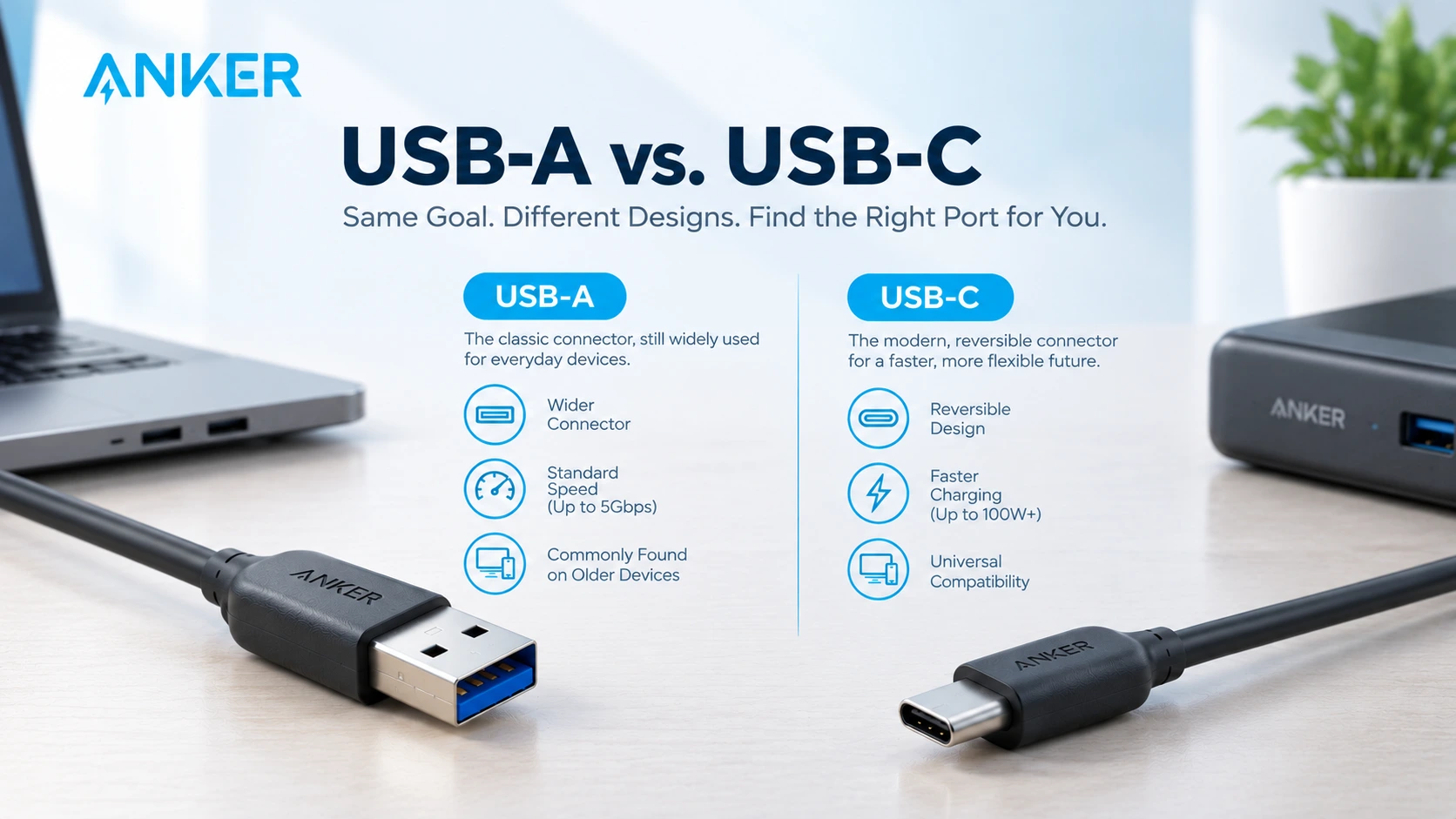
You find a cable in a drawer and wonder if it fits your new phone. One end is a flat rectangle, and the other is a small oval. So, what is difference between USB A and USB C, and does it matter which one you use? It does, because the two ports handle power, speed, and video very differently. This guide explains both in plain terms and helps you choose.
Quick answer: What’s the difference between USB-A and USB-C? USB-A is the flat, rectangular port that plugs in one way and delivers modest power. USB C is the small oval port that plugs in either way, carries far more power, and handles video as well as data. New phones, laptops, and tablets need USB C. Older accessories still need USB A.
What is Difference Between USB A and USB C? A Side-by-Side Look
The table below puts the key differences next to each other. Read it first, then use the sections that follow for detail.
| Feature | USB A | USB C |
|---|---|---|
| Shape | Flat rectangle | Small oval |
| Plugs in | One way only | Either way up |
| First released | 1996 | 2014 |
| Data speeds | 480 Mbps to 10 Gbps | 480 Mbps to 40 Gbps |
| Power | About 2.5W to 18W | Up to 240W |
| Video | Not natively | Yes, on supported devices |
| Rated plug cycles | About 1,500 | About 10,000 |
A Quick Look at Each Port
USB A is the rectangular socket you see on wall chargers, laptops, TVs, and car adapters. It arrived in 1996 and spread to nearly every device made over the next two decades. Keyboards, mice, flash drives, and phone chargers all rely on it.
USB C is the small oval connector on most new phones, laptops, and tablets. The USB Implementers Forum finalized it in 2014 as a single port for power, data, and video. The iPhone 15 and later models use it as well.
What is difference between USB A and USB C in plug design?
The first difference is how the plug fits. USB A has a fixed top and bottom, so you often need a second try. USB C is symmetrical.
Reversible design means a USB C plug goes in either way up, with no flipping and no forcing. This also lets makers fit the port into slim phones and laptops.
USB C plugs last longer too. Their rating is about 10,000 insertions, against about 1,500 for USB A.
What is difference between USB A and USB C in power output?
Power is the biggest gap between the two ports.
Charging speed depends on the watts a port can deliver. A standard USB A port provides about 2.5W to 4.5W, and fast modes reach about 18W. USB C with Power Delivery commonly starts near 18W and rises to 100W, which is enough for most laptops. The newest standard allows up to 240W.
Consider a 65W USB C charger. It can fill a phone quickly, and it can also run a thin laptop. A USB A charger usually cannot charge a laptop at all.
Power Delivery also lets the charger and device agree on a safe level. That lowers the risk of overheating.
What is the difference between USB A and USB C for data and video?
Speed depends on the USB version inside the port, not on its shape.
Data transfer speed on USB A runs from 480 Mbps on USB 2.0 to 10 Gbps on USB 3.2 Gen 2. USB C matches those speeds and goes further, reaching 40 Gbps on USB4 and Thunderbolt.
USB C also carries video. With DisplayPort Alt Mode, a single cable can run a monitor and charge a laptop together. USB A cannot do this natively.
Why a USB C Label Does Not Guarantee Speed
Many people assume every USB C cable is fast. It is not. Some cables carry only power and 480 Mbps data, while others support 10 Gbps or 240W. Because the plug looks the same, the label matters. Before you buy, check:
- The device spec sheet, for its USB version (such as 3.2 or USB4)
- The cable label, for both speed and wattage ratings
- The charger rating, for the watts it delivers
- The brand, since uncertified cables often overstate their specs
Which One Do You Need? Match the Port to the Device
The right port depends on what you plug in. Use this as a guide:
- Laptop or tablet charging: USB C with Power Delivery
- A new phone, including the iPhone 15 and later: USB C
- Keyboards, mice, and flash drives: USB A, or a USB C adapter
- Older car chargers and power banks: often USB A, so read the port label
- A monitor from a laptop: USB C with video support
- Travel: a charger with both ports
Most households still need both. Older gadgets rely on USB A, and new devices use USB C.
Can You Mix USB A and USB C Cables?
Yes, with the right cable. A USB C to USB A cable links a new device to an older charger or computer. However, the link runs at the speed and power of the weaker end. A USB C laptop on a USB A charger will charge slowly or not at all.
A single charger with both ports solves much of this problem.
Where to Buy Genuine Anker Cables and Chargers in the UAE
A weak cable can overheat, charge slowly, or damage a device, especially at high wattage. Genuine products reduce that risk, and a valid warranty covers you if something fails. That is why the supplier matters. An authorized anker distributor in UAE supplies genuine stock with verified availability.
For cables, you can browse the full Anker cable range and compare options for connecting USB C and USB A devices. For power, check the anker charger UAE range for models with USB C, USB A, or both ports.
Frequently Asked Questions
What is difference between USB A and USB C in simple terms?
USB A is the older rectangular port that fits one way. USB C is the newer oval port that fits either way and handles more power, data, and video.
Is USB C better than USB A?
For most new devices, yes. USB C is reversible, delivers far more power, and supports faster data and video. USB A still works well for older accessories.
Can I plug a USB C cable into a USB A port?
Only with a USB C to USB A cable or an adapter, because the shapes differ. The link then runs at the lower speed and power of the USB A side.
Will my old USB A charger work with a new phone?
Yes, if you use a USB C to USB A cable. It will charge, but more slowly than a USB C Power Delivery charger.
Does USB C always charge faster?
No. How fast a device charges depends on the charger, the cable, and the device. A basic USB C port can be as slow as USB A.
Final Thoughts
So, what is difference between USB A and USB C? It comes down to shape, power, speed, and what you already own. USB C is the better choice for new phones, laptops, and tablets. USB A still serves older accessories well.
For most people, a charger with both ports is the safest buy right now. Check the ratings on every cable and charger, and buy genuine products. If you want help choosing, get in touch with Anker UAE.
